
DIY Call Center Kit

You Build It. We Already Did the Hard Part.

Build it yourself, with the flows and video already done.

Configuring a basic inbound queue in Amazon Connect is something a reasonably technical professional can do in an afternoon. Building the features people actually expect, DNIS-based routing, voicemail, direct agent dialing by extension, real queue management, takes the kind of experience that usually only comes from years of building call centers. This kit packages that experience: pre-built contact flows, the Lambda functions and DynamoDB setup behind them, and video tutorials that walk you through every piece.

Stripe checkout is coming soon. This button reaches a real person in the meantime.

$995
One-time price, includes one hour of support
7
Pre-built contact flows, ready to import
1 Hr
Technical support included with purchase
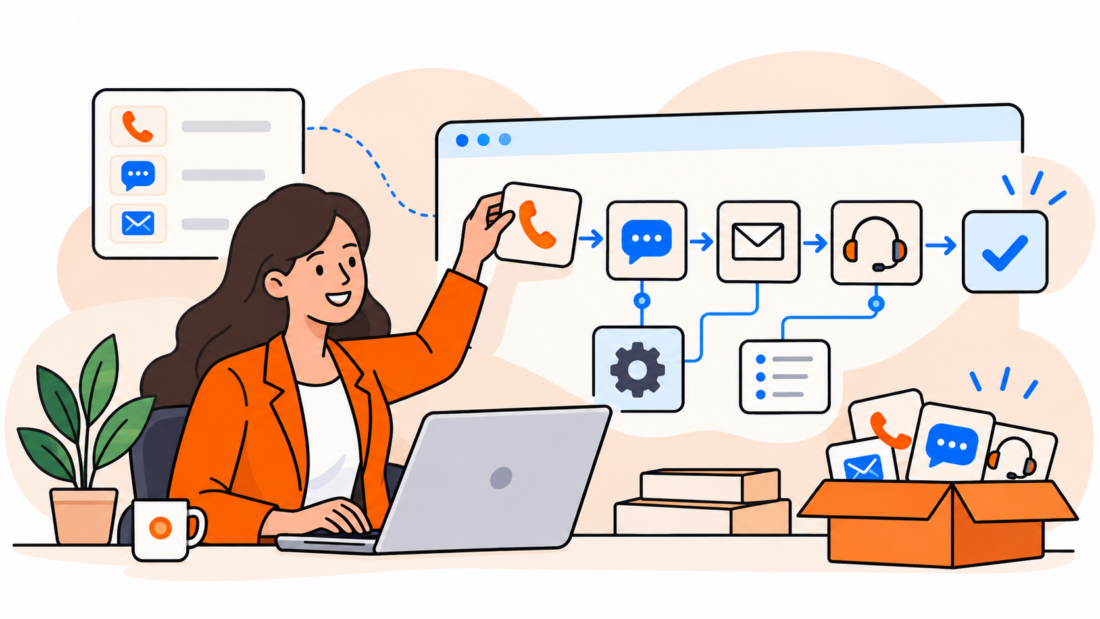
Professional assembling phone, chat, email, and support contact flows from a call center kit

Standard Consulting Partner since 2017

What's Actually In The Box

Everything you need to import, configure, and go live

This is not a PDF and a prayer. It is the same contact-flow approach we use on real client deployments, documented so you can run it yourself.

Box Contents

  • 01Dynamic, DNIS-based contact flow: one configurable flow serves every number you route through it, indexed by a configuration database instead of duplicated per queue
  • 02Direct agent dialing by extension, using the AWS Voice Mail solution repurposed for the job
  • 03Seven pre-built contact flows ready to import: DNIS Map, Direct to Queue, Direct to Agent, Direct to Menu, After-Hours Handler, Error Handler, and Queue Hold with callback, message recording, and transfer options
  • 04The Lambda functions that index the configuration database, plus DynamoDB table setup instructions
  • 05Every flow is heavily commented, so you can see exactly what each block does before you customize it
  • 06Video tutorials for non-technical professionals, plus tech-tip deep dives on the voicemail system and custom agent dashboard setup
  • 07One hour of technical support included, direct from a DrVoIP engineer

See It Before You Buy

Watch the full kit overview

The same walkthrough we point real customers to before they buy: what's in the kit, how the DNIS routing works, and what your finished contact center looks like.

Want the full configuration walkthrough too? Watch the deep-dive tutorial ›


Is This Kit Right For You?

Built from years of experience, so you don't have to have them

Creating options like voicemail, transcriptions, advanced routing and queue management, direct agent dialing, and custom agent dashboards takes more than technical skill. It takes experience that usually only comes from years of building call center solutions.

That is exactly what's packaged into this kit: the flows already built, the configuration already mapped, and a DrVoIP engineer on the other end of your one included support hour.

Not sure this is the right tier?

If all you need is a single queue and a menu, our $195 Basic Kit covers incoming-to-queue routing, an IVR menu, after-hours handling, and queue hold options, and most non-technical professionals have it running in about an hour. This Advanced Kit is for when you need DNIS-based multi-number routing, voicemail-based extension dialing, and the groundwork for custom dashboards.


Trusted Well Beyond This Kit

What clients say about working with DrVoIP

“From watching his YouTube videos, we engaged Peter on numerous contact center projects, including migrating a portion of our Cisco UCCX contact center into AWS.”

Amir SafayanReal Estate Entrepreneur

“I highly recommend DrVoIP to anyone interested in obtaining fast responses and solutions to problems around the creation of a modern AWS Connect phone system.”

Mickael SebbanFounder, Oui Systems

“I have known Peter for 20 years, and he has been our consultant for over 10 of them. He is a person of great integrity. The DrVoIP name suits him perfectly.”

Sonya OrmeEntrepreneurship and Cultural Transitions Consultant

Common Questions

Frequently asked questions

Seven pre-built contact flows ready to import (DNIS Map, Direct to Queue, Direct to Agent, Direct to Menu, After-Hours Handler, Error Handler, and Queue Hold), the Lambda functions and DynamoDB setup behind the DNIS-based routing, video tutorials covering both the core setup and tech-tip deep dives on voicemail and custom dashboards, and one hour of technical support.

You do not need to be a developer, but this kit is built for a reasonably technical, hands-on professional, not a complete beginner. Every contact flow is heavily commented so you can see what each block does, and the video tutorials walk through the non-technical parts step by step. If you get stuck, your included support hour is there for exactly that.

The $195 Basic Kit covers a single queue: incoming-to-queue routing, an IVR menu, after-hours handling, and queue hold options, and most people have it running in about an hour. This $995 Advanced Kit adds DNIS-based dynamic routing across multiple numbers, voicemail repurposed for direct agent dialing by extension, and the Lambda and DynamoDB groundwork for custom agent dashboards.

The kit includes one hour of technical support directly from a DrVoIP engineer. If you need more than that, additional on-demand support is available at $225 an hour, no contract required.

That is exactly what our fixed-fee Quickstart deployment is for: a fully configured Amazon Connect environment, live in five business days, built and handed off by our engineers instead of assembled by you. Plenty of teams start with this kit to learn the platform, then bring us in later for the full build.


Rather Have Us Build It?

A DIY kit is not the right fit for every team, and that is fine

If you would rather hand this off entirely, here is where to go next.

Amazon Connect Quickstart

A fully configured environment, live in five business days.

Explore ›

Fixed-Fee Packages

Flat rate pricing for the build, no surprise change orders.

Explore ›

Pricing

See how the kit compares to a done-for-you deployment.

Explore ›


Still need guidance?

A DIY kit is not the right fit for every team. If you would rather our engineers build, test, and hand off a fully configured environment, we can have you live in five business days.

FREE GUIDES & CHECKLISTS

Take a useful next step.

Free resource 9 pages · PDF

Amazon Connect CI/CD Pipeline Guide

Nine-page engineering guide to environment mapping, validation, approvals, promotion, rollback, drift and production-readiness evidence.

2026 edition. The March 31, 2026 legacy-flow milestone mentioned in this guide has passed.

Get the CI/CD Guide Delivered to your inbox